
Inquiries in one place
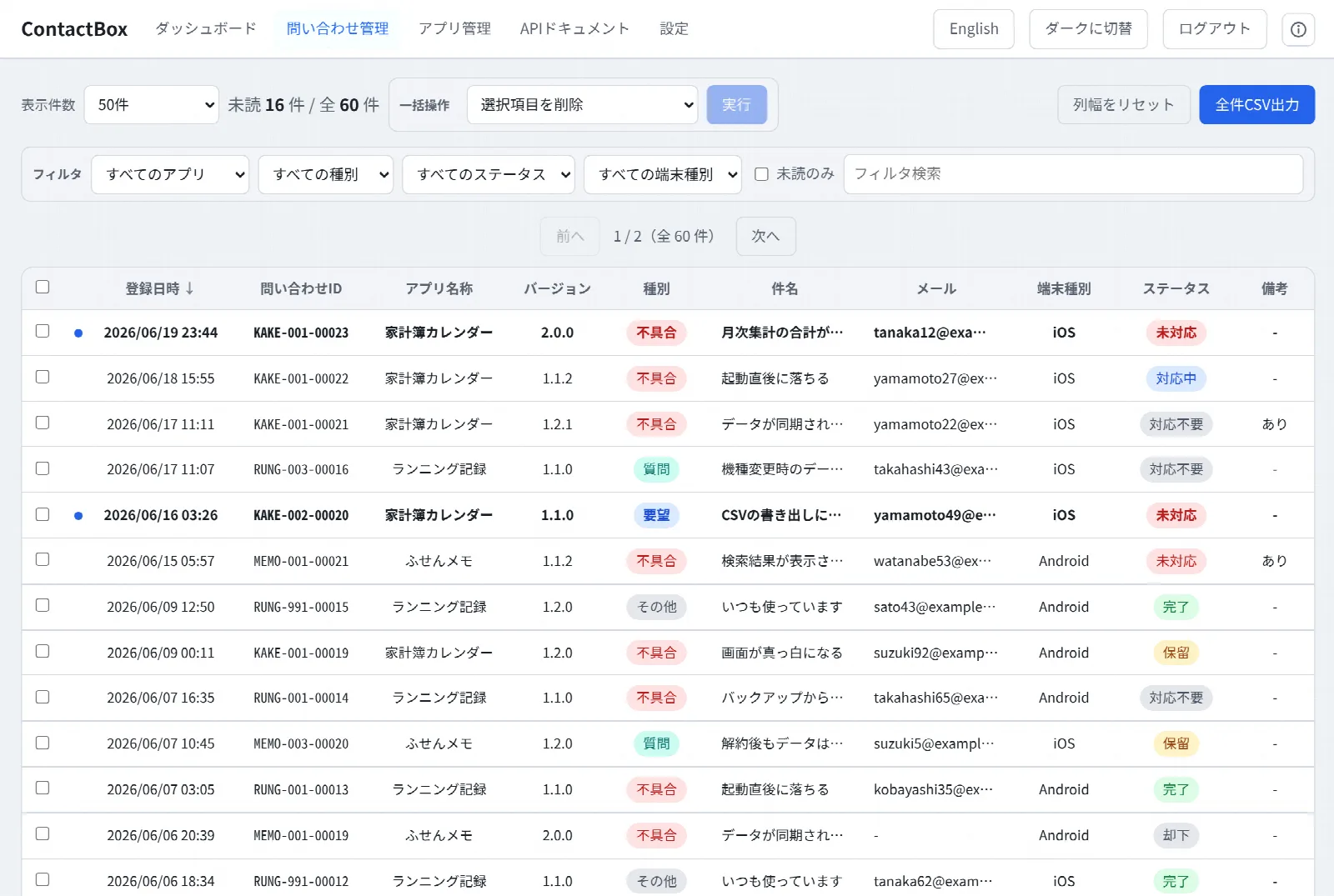
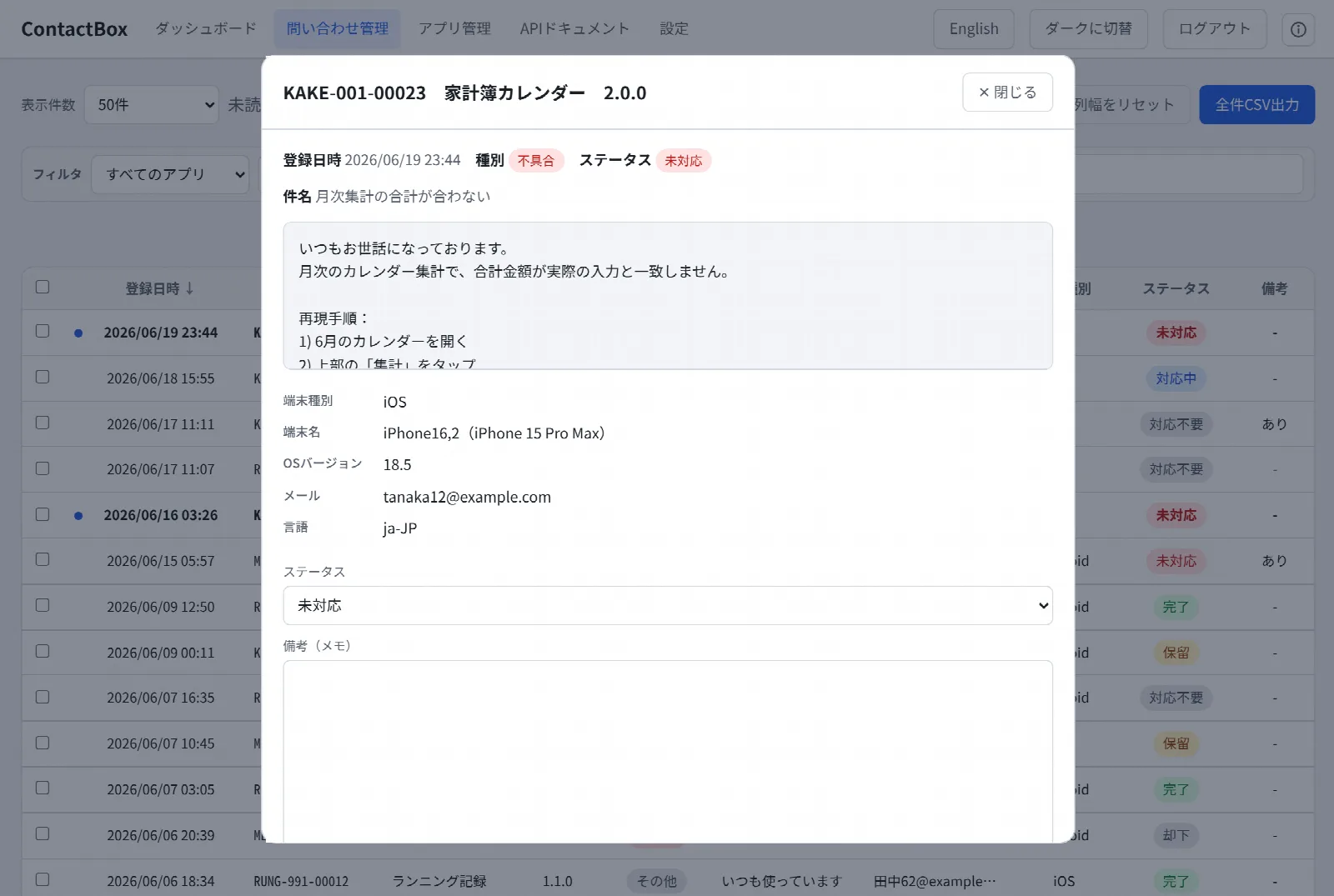
See every app's inquiries in a single list. Real-time search across all fields, filtering by app, type, status, and device type, column sorting, bulk actions, and CSV export are all built in.
An inquiry-management web app for indie developers
An inquiry-management web app born while building MumoStream, when I found myself wondering how to receive users' inquiries. Apps simply POST to the API—a no-fuss design that brings inquiries from all your mobile apps together in a single admin console.
Features
From receiving inquiries to reporting and notifications—all from one backend.
See every app's inquiries in a single list. Real-time search across all fields, filtering by app, type, status, and device type, column sorting, bulk actions, and CSV export are all built in.
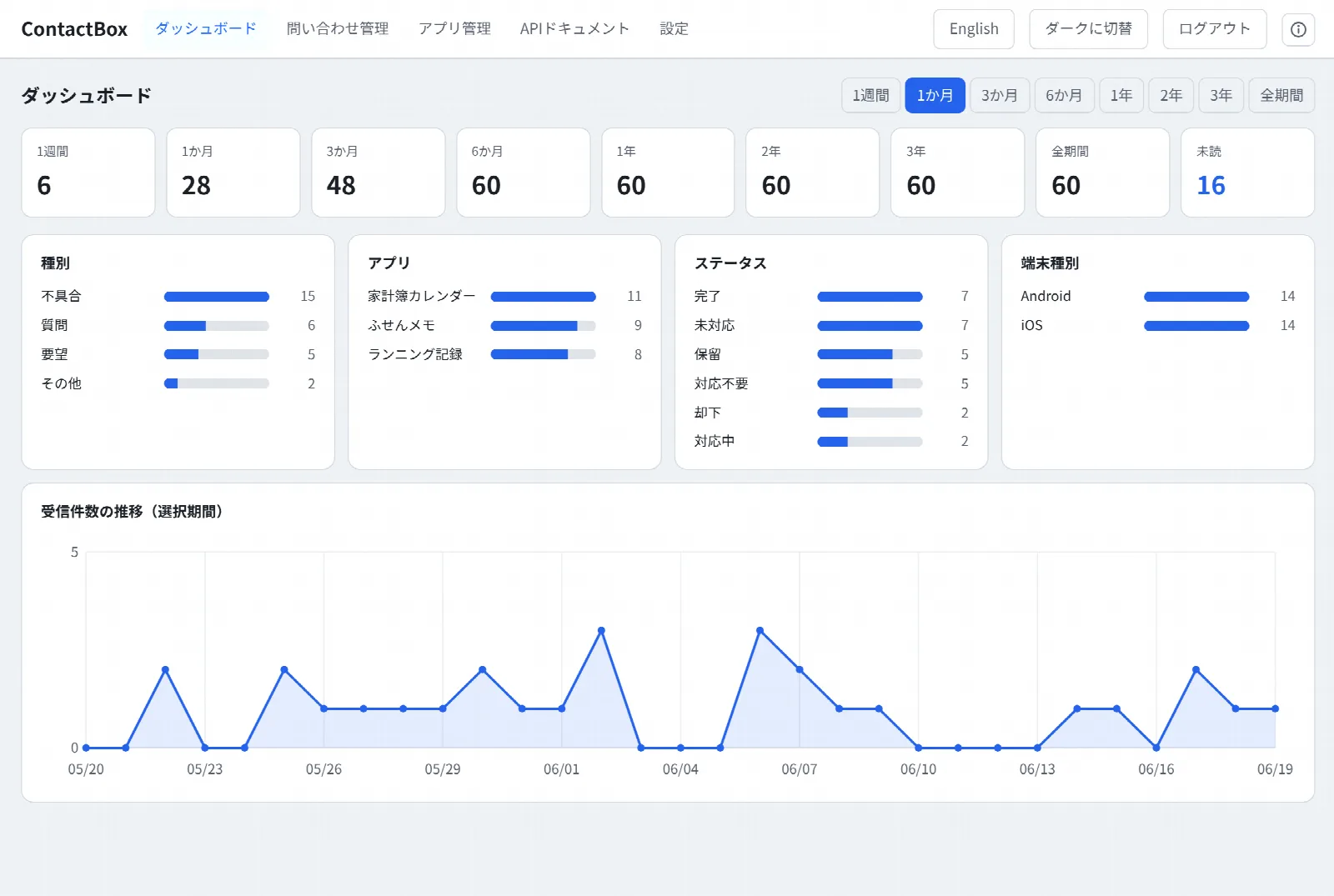
Received-count cards by period, breakdowns by type, app, status, and device type, and a trend graph of incoming inquiries. Unread counts are clear at a glance.
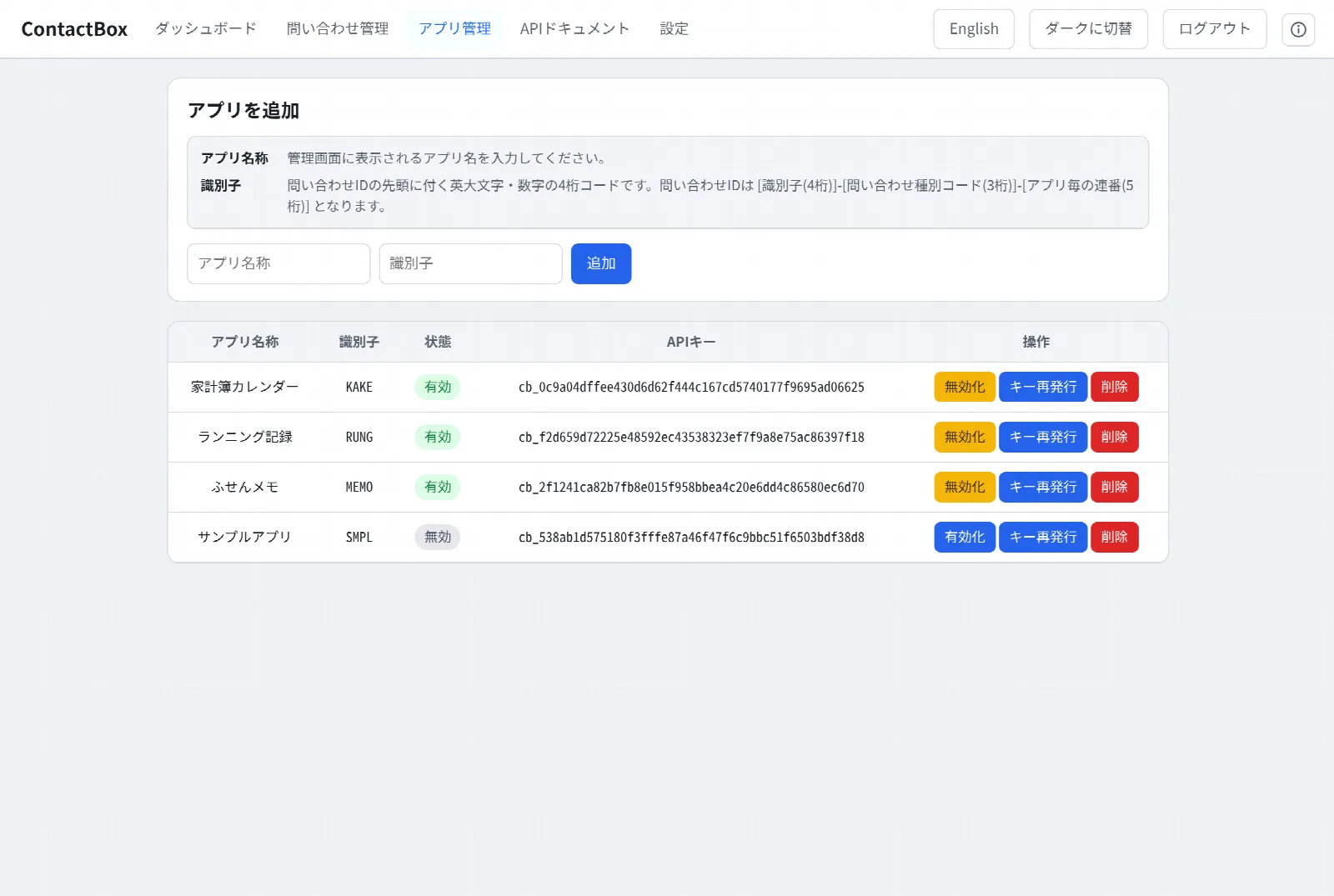
Issue an API key per app and POST the inquiry to the API—that's it. The app ID isn't carried in the body; it's determined from the key. Inquiry IDs are numbered automatically, each with its app's identifier.
Get notified of new inquiries over two channels: SMTP (email) and the LINE Messaging API. Each can be turned on independently, and the notification language follows the admin locale.
Runs on PHP 8.x and SQLite alone—no resident process or database server needed. Just upload the files and it works, even on shared rental hosting. A Docker setup is included too.
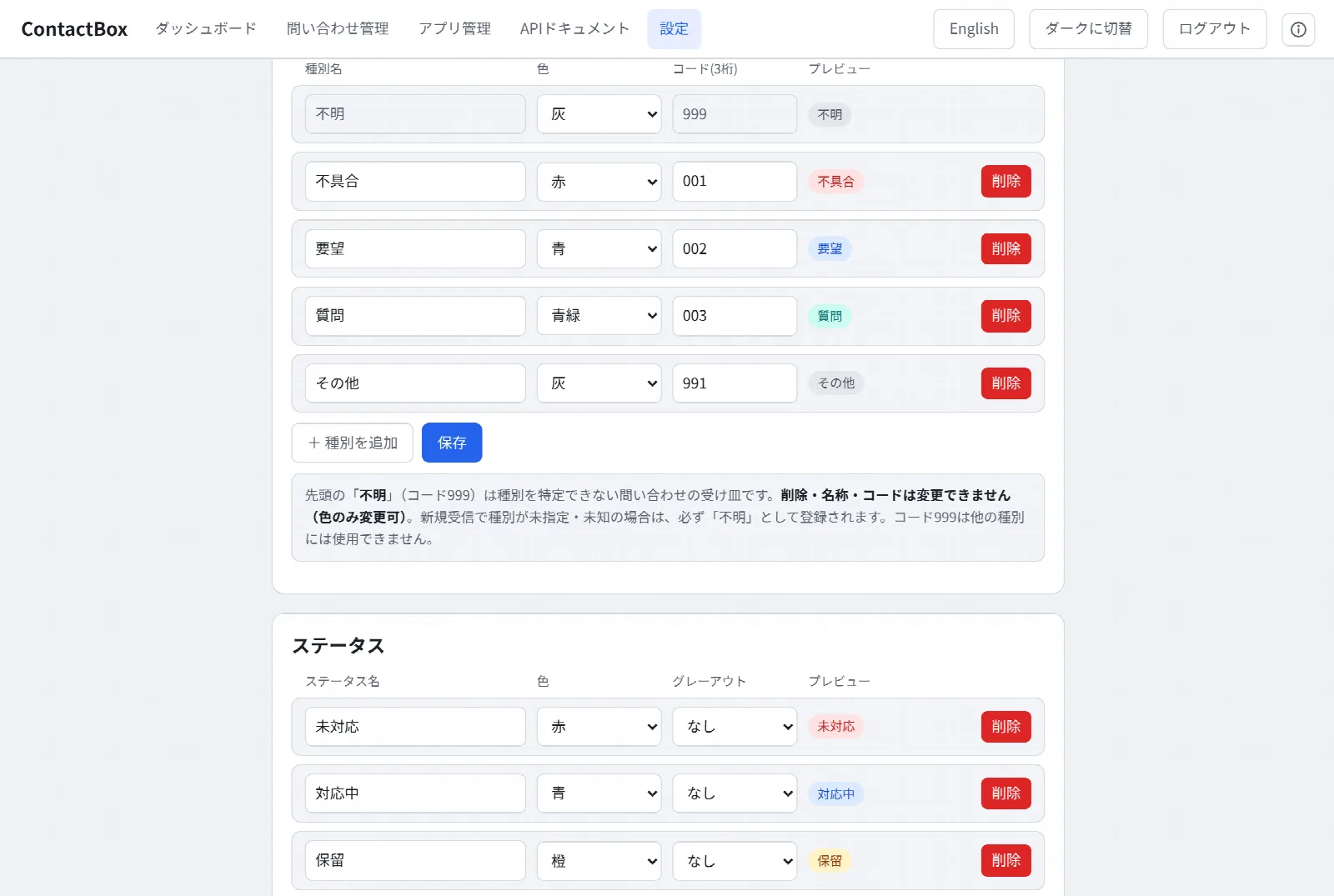
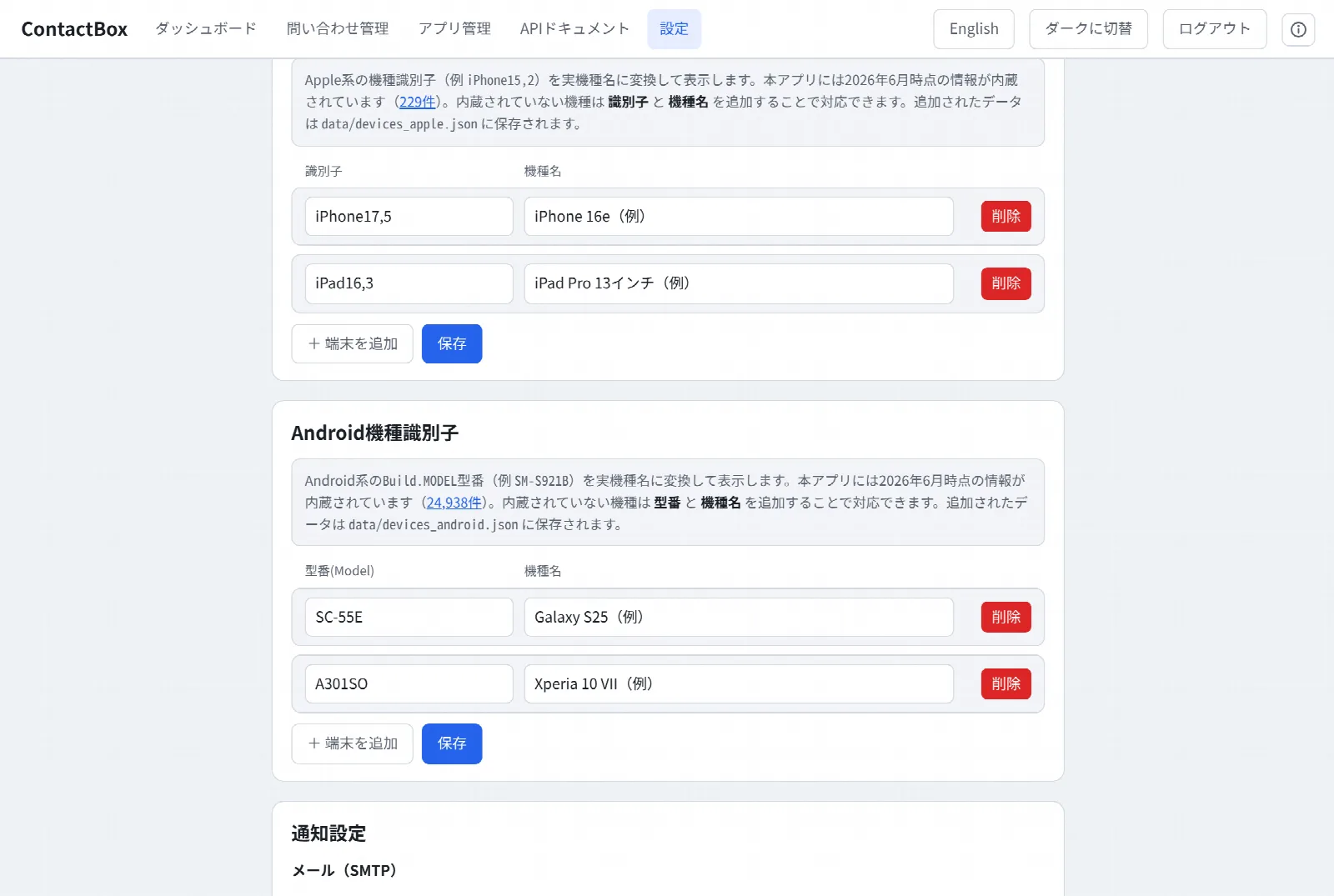
The admin console comes in Japanese and English, with light and dark themes you can switch between. It also shows iOS / Android model names and supports encrypted, single-file backup and restore.
Screens
Click an image to enlarge it.
Environment
If your server runs PHP, you can install it—on shared rental hosting or with Docker.
* Communication with apps assumes HTTPS. Please provide your own SSL (TLS) environment on the server side (for example, free SSL for your own domain).
Download
The PHP edition and the Docker edition (Caddy bundled, HTTPS automatic) come in one package, so you can upload it to a server or run it straight from Docker.
* After installation, be sure to change the initial password under "Settings → Change password" in the admin console. A separate HTTPS (SSL/TLS) environment is required for communication with apps.
By downloading, you are deemed to agree to the Terms of Service and the Privacy Policy.
Changelog
| Date | Version | Details |
|---|---|---|
| 2026/06/20 | 1.0.0 | Initial release |